
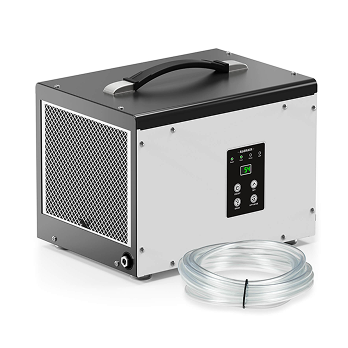
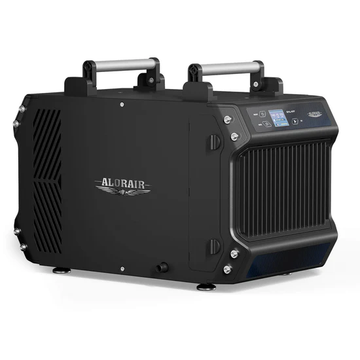
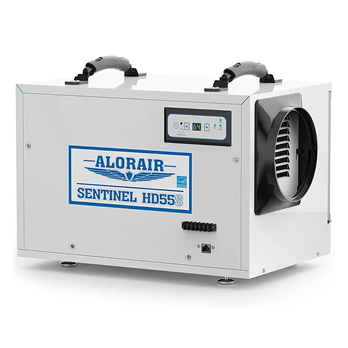
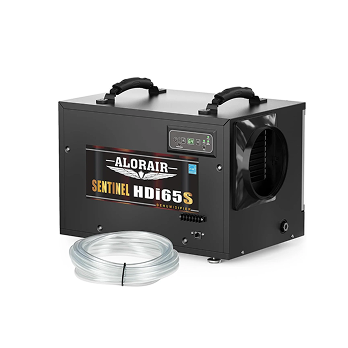



When your dehumidifier is not working, start with the simple things: check the power supply, humidity setting, water bucket, drain hose, air filter, and room temperature. In many cases, the unit has shut down because the bucket is full, the set point has already been reached, airflow is blocked, or the room is too cold.
You can imagine the frustration when you switch on the dehumidifier and nothing happens. The good news is that not every shutdown means the unit is defective. Some problems can be corrected in a few minutes, while others—such as a failed compressor, fan motor, sensor, or control board—require professional service.
This guide walks you through the most common reasons a dehumidifier stops working, the checks you can perform safely, and the signs that it is time to stop troubleshooting and contact the manufacturer or a qualified technician.
Quick Dehumidifier Troubleshooting Checklist
Before taking the unit apart or calling for service, check these items:
-
Confirm that the outlet has power and the plug is fully inserted.
-
Make sure the unit is switched on and is not in a delayed-start mode.
-
Set the target humidity below the room’s current relative humidity.
-
Empty and correctly reinstall the water bucket.
-
Check the drain hose for kinks, clogs, or an uphill section.
-
Clean the air filter and remove anything blocking the intake or outlet.
-
Check whether the room is colder than the model’s specified operating range.
-
Look for an error code and consult the manual for that exact model.
Unplug the dehumidifier before cleaning it, removing covers intended for routine maintenance, or checking accessible components. Do not open sealed electrical or refrigeration sections unless you are qualified to service the equipment.
Common Problems with the Dehumidifier
Clogged or Dirty Air Filter
A dehumidifier needs steady airflow across its coils to remove moisture effectively. If the filter is covered with dust, the unit may collect less water, run for longer periods, overheat, or develop frost on the coils. Turn the unit off, unplug it, and inspect the filter. If dust has built up, follow the proper steps to clean a dehumidifier filter, or replace it with a compatible filter if it is damaged or cannot be cleaned.
Humidity or Temperature Sensor Problems
A dehumidifier uses humidity and, on many models, temperature sensors to decide when the compressor and fan should operate. If a sensor is dirty, damaged, disconnected, or reading the room incorrectly, the unit may stay off, run continuously, short-cycle, or display an error code.
Before assuming the sensor has failed, compare the displayed humidity with a separate hygrometer and confirm that the selected set point is below the current room humidity. If the reading is clearly inaccurate or the error code returns after a restart, consult the model-specific manual or contact support.
Fan Motor Failure
The fan motor in the dehumidifier helps get rid of moisture from the air by circulating air on the evaporator coils. It could fail due to overheating and bearing malfunction.
Full or Incorrectly Positioned Water Bucket
Many portable dehumidifiers shut off automatically when the water bucket is full. The same thing can happen if the bucket is not seated correctly or if the float switch is stuck. Empty the bucket, check that the float moves freely, and reinstall the bucket firmly. If the unit uses continuous drainage, inspect the hose and drain connection as well.
Control Board or Internal Electrical Fault
The control board manages functions such as the fan, compressor, sensors, and display. A failed board can prevent one or more components from starting, but a nonworking unit does not automatically mean the board is defective. Rule out power, settings, bucket, drainage, filter, and temperature problems first. Control-board diagnosis and replacement should normally be handled by the manufacturer or a qualified technician.
Diagnosing Dehumidifier Issues
Here are steps you can take to identify the dehumidifier problem fast:
1. Check the Power and Settings
Start with the power connection. Make sure the plug is fully inserted, test the outlet with another suitable device, and check the circuit breaker or fuse that serves the dehumidifier. If the breaker trips again after being reset, stop using the unit and have the circuit or appliance inspected.
Next, confirm that the controls are on and that no timer or delayed-start function is active. Set the target humidity below the room’s current humidity—for example, set the unit to 50% if a separate hygrometer reads 60%. If the selected setting is higher than the actual room humidity, the dehumidifier may remain off because there is no request for moisture removal.
Some compressors also have a short restart delay to protect the system. After changing the setting or restoring power, wait the amount of time specified in the manual before concluding that the unit has failed.
2. Inspect the Filter, Airflow, Coils, and Drainage
Start with the components you can inspect safely. Check the filter for dust and debris, and clean or replace it if necessary. Make sure furniture, boxes, walls, or stored items are not blocking the air intake or outlet. Better airflow may restore performance if the unit has been running but collecting little water.
If ice appears on the coils, turn the unit off and allow it to defrost. Frost can result from low room temperature, restricted airflow, a dirty filter, or a fan or defrost-system problem. Check the model’s operating-temperature range before restarting it. ENERGY STAR recommends paying particular attention to low-temperature suitability when the space regularly falls below 65°F.
For drainage problems, make sure the bucket is correctly installed and inspect the drain hose for clogs, kinks, loose connections, or an uphill section that prevents gravity drainage. The unit’s location also affects airflow and drainage, so choosing where to place a dehumidifier is especially important when using a gravity-fed drain hose.
3. Know Which Tests Are Safe to Perform
Home troubleshooting should be limited to checks described in the product manual, such as confirming the settings, cleaning the filter, reinstalling the bucket, inspecting the drain hose, and checking for visible airflow obstructions.
Testing a compressor, capacitor, control board, fan motor, internal wiring, or live electrical connection can expose you to electric shock and stored electrical energy. Refrigeration-system work may also require specialized tools and certification. If the basic checks do not solve the problem, unplug the unit and contact the manufacturer or a qualified appliance or HVAC technician.
4. Consider Room Conditions and Dehumidifier Size
A dehumidifier may be operating normally even when it does not collect much water. This can happen when the room humidity is already below the selected set point, the air temperature is too low, or the unit has recently entered a compressor-protection or defrost cycle. Use a separate hygrometer and observe the unit over time before assuming that it has failed.
If the fan runs but the humidity never falls, check for open doors or windows, ongoing water intrusion, poor airflow, and insufficient capacity. A unit that is too small may run for long periods without reaching the target humidity. In a crawl space, choosing the right size dehumidifier for a crawl space also requires you to consider sealing, drainage, climate, and whether air can move freely throughout the space.
A larger unit is not automatically defective if it cycles on and off. Cycling is normal after the target humidity has been reached. Frequent short cycles before the room reaches the set point, however, may indicate poor sensor placement, restricted airflow, an unsuitable setting, or excessive capacity for the space.
5. Check the Manual and Error Code
Still not getting the dehumidifier to work? Check the current manual for your exact model. The manual can explain startup delays, operating-temperature limits, drainage requirements, indicator lights, and model-specific error codes that a general troubleshooting guide cannot cover.
Write down the model number, serial number, displayed error code, room temperature, current humidity, and the troubleshooting steps you have already tried. This information will make it easier for AlorAir support or a qualified technician to identify the problem without repeating the basic checks.
How to Tell If Your Dehumidifier Is Working
A working dehumidifier should draw air through the intake and release air from the outlet. After the compressor starts, the discharged air may feel slightly warmer than the surrounding room air. Depending on the humidity and temperature, water should begin collecting in the bucket or flowing through the drain line.
Do not judge performance from the amount of water alone. A dehumidifier may collect very little water when the room is already dry or cold. Instead, place a separate hygrometer in the room and compare the relative humidity over several hours. If the unit is correctly sized and the space is reasonably closed, the reading should gradually move toward the selected set point.
The following signs may indicate a problem:
-
The display and fan work, but humidity does not decrease.
-
No water is collected even though the room is warm and humid.
-
The unit repeatedly shuts off before reaching the set point.
-
Ice continues to build up after the unit has had time to defrost.
-
The fan or compressor makes a new grinding, buzzing, or rattling noise.
-
The bucket, hose, or housing leaks.
-
The breaker repeatedly trips.
How to Keep Your Dehumidifier Working
Regular maintenance helps preserve airflow and moisture-removal performance. Clean the filter, intake grille, outlet, bucket, and accessible drainage components at the intervals specified in the manual. Keep dust, boxes, and other objects away from the unit. Following a consistent dehumidifier cleaning routine can prevent dirt and debris from restricting airflow or interfering with drainage.
Many dehumidifiers are designed to remain powered on while a humidistat cycles the compressor as needed. Continuous operation during the initial drying period can also be normal. What deserves attention is a unit that runs continuously for days without lowering humidity, repeatedly overheats, produces a burning smell, trips the breaker, leaks, or makes unusual mechanical noises.
Replace filters and other service parts only with components designed for the exact model. Before ordering replacement dehumidifier filters and parts, check the model number and the list of compatible units on the product page.
Conclusion
If your dehumidifier is not working, begin with the power supply, settings, water bucket, drain hose, filter, airflow, and room temperature. These simple checks solve many common shutdown and performance problems without requiring the unit to be opened.
Stop troubleshooting if the breaker repeatedly trips, the power cord becomes hot, you smell burning, refrigerant appears to be leaking, or an internal electrical or refrigeration component needs testing. Unplug the unit and contact a qualified technician or the manufacturer.
For an AlorAir model, write down the model number, serial number, displayed error code, room temperature, current humidity, and the troubleshooting steps you have already completed. Having this information ready can make the diagnosis faster and more accurate.


