



Data center humidity control is about keeping temperature, relative humidity, and dew point within the operating limits specified for the installed IT equipment. Too much moisture can increase the risk of condensation and corrosion, while excessively dry conditions may increase electrostatic discharge risk.
Does every data center need a separate dehumidifier? Not necessarily. Many facilities manage moisture through their existing environmental-control systems. Supplemental dehumidification may be useful when monitored humidity or dew point remains above the approved range, humid outdoor air enters the facility, or a local server room develops a recurring moisture problem.
This guide explains how humidity affects data center equipment, what environmental conditions should be monitored, and when a dehumidifier for a data center or server room may be appropriate.
Why Does Humidity Control Matter in a Data Center?
Temperature receives most of the attention in a data center, but moisture conditions also matter. High humidity and dew point can contribute to condensation and corrosion, while very dry conditions may increase the risk of electrostatic discharge. The goal is to keep conditions within the limits specified for the installed equipment.
Corrosion
Moisture can contribute to corrosion on metal contacts, circuit components, connectors, and other exposed surfaces. The risk depends not only on relative humidity but also on dew point, airborne contaminants, temperature, and how long the equipment is exposed. Maintaining the approved environmental range can help reduce this risk, but existing corrosion or water intrusion requires inspection and repair.
Condensation
Condensation can form when a surface temperature falls below the surrounding air’s dew point. In a data center, this may happen during rapid temperature changes, cooling-system problems, maintenance events, or the introduction of warm, humid outdoor air. Water on or near energized equipment can create a serious failure risk, so operators should monitor dew point as well as relative humidity.
Electrostatic Discharge in Very Dry Conditions
Humidity that is too low can increase the likelihood of electrostatic discharge, particularly where flooring, footwear, furniture, and grounding practices do not provide adequate ESD control. This is another reason not to run a data center dehumidifier without measured conditions and an approved setpoint. Removing too much moisture may replace one environmental risk with another.
Damp Building Materials
Persistent moisture may also affect walls, ceiling materials, insulation, flooring, and other parts of the facility. Musty odors, damp surfaces, or visible microbial growth should prompt an investigation for leaks, condensation, drainage problems, or humid outdoor-air infiltration. A dehumidifier may support drying and moisture control, but it cannot repair the source of liquid water.
What Humidity Level Should a Data Center Maintain?
There is no single relative humidity setting that applies to every data center. The correct limits depend on the environmental class and specifications of the installed servers, storage equipment, networking hardware, and other IT equipment.
ASHRAE’s reference card for Classes A1 through A4 recommends an inlet-air temperature range of 18°C to 27°C. Its recommended moisture envelope uses dew-point and relative-humidity limits rather than one fixed RH number. The upper RH limit may also depend on the environmental class and measured corrosion conditions. Review the current ASHRAE thermal guidelines for data processing environments and the equipment manufacturer’s requirements before selecting a setpoint.
Recommended conditions and allowable conditions are not the same. The recommended envelope is intended for normal operation, while the broader allowable envelope describes conditions in which particular equipment classes are expected to function. The allowable extremes should not automatically become everyday operating targets.
Measure conditions at the IT equipment air inlet rather than relying on one wall-mounted sensor. Also monitor dew point because the same RH reading can represent a different amount of moisture when the temperature changes.
How Is Humidity Controlled in a Data Center?
Data center humidity control normally involves several parts of the facility working together. Cooling equipment manages heat and may remove some moisture, environmental controls respond to temperature and moisture conditions, airflow management reduces local hot and cold spots, and sensors show whether conditions remain within the approved operating envelope.
Outdoor-air economizers, door openings, maintenance work, water leaks, control settings, and changes in IT load can all affect humidity or dew point. Before adding a dehumidifier, operators should identify when the moisture rises and whether the problem comes from outdoor air, the building, the cooling system, or a specific room.
Some facilities may need humidification during very dry conditions and dehumidification during damp conditions. The correct response should come from measured data and equipment requirements rather than a fixed year-round RH setting.
For large or mission-critical facilities, humidity control should be coordinated with the HVAC, CRAC, CRAH, building management, and data center monitoring systems. A standalone appliance should not be expected to replace an engineered environmental-control system.
When Does a Data Center Need a Dehumidifier?
A separate dehumidifier may be considered when monitored moisture conditions remain above the approved operating range and the existing environmental-control system cannot correct the problem on its own. The first step is to identify whether the excess moisture affects the entire facility or only a local server room, utility area, or equipment space.
If supplemental dehumidification is appropriate, the main options include refrigerant and desiccant systems. The right choice depends on temperature, required dew point, moisture load, HVAC integration, airflow, drainage, controls, and redundancy requirements.
Refrigerant Dehumidifiers
A refrigerant dehumidifier draws air over a cold coil, condenses water vapor, and returns drier air to the room. This type may be suitable for a small server room, an equipment room, or a local area where temperature and humidity remain within the unit’s operating range.
Before using one, consider its sensible heat output, drainage requirements, airflow pattern, controls, redundancy needs, and effect on the existing cooling system. A standalone unit should not discharge warm air directly into a server intake or interfere with established hot-aisle and cold-aisle airflow.
Desiccant Dehumidifiers
A desiccant dehumidifier removes moisture by passing air through a moisture-adsorbing material. It can be useful when a facility requires a lower dew point or when conditions are too cool for efficient refrigerant dehumidification.
Desiccant systems also require regeneration air and can add heat to the process air. They should therefore be selected and integrated as part of the facility’s mechanical design rather than treated as a simple portable solution.
Coordinate Dehumidification With Airflow Management
Hot-aisle and cold-aisle containment are primarily airflow and cooling strategies, not standalone dehumidification methods. However, they affect temperature distribution and where environmental sensors should be placed.
Any added dehumidifier must work with the existing airflow design. Place supply and return air so that the unit does not create short cycling, disrupt pressure relationships, or send heated discharge air toward IT equipment inlets.
Monitor Conditions Before Adding a Dehumidifier
Do not select a data center dehumidifier from a single room reading. Monitor temperature, relative humidity, and dew point over time to determine when the moisture rises, how long it remains elevated, and whether the problem affects the entire facility or only one area.
Place sensors near equipment air inlets and in locations where condensation or moisture entry is most likely. Large facilities may need sensors in several aisles, containment zones, utility areas, and mechanical spaces because one centrally located reading may miss local conditions.
Set alerts according to the environmental limits approved for the installed IT equipment. Trend data can help distinguish a persistent moisture problem from a temporary event caused by weather, door openings, maintenance, economizer operation, or an HVAC control issue.
Fix leaks, drainage problems, uncontrolled outdoor-air entry, and cooling-system faults before relying on supplemental dehumidification. If humidity remains elevated after those problems are corrected, use the recorded moisture load to help size and control the dehumidifier.
How to Choose a Data Center Dehumidifier
Choosing a dehumidifier for a data center requires more than matching the unit to the room’s square footage. Cooling load, air volume, outdoor-air infiltration, existing HVAC performance, temperature, desired dew point, and actual moisture load all affect the required capacity.
Consider the following factors:
- Moisture-removal capacity under the room’s actual temperature and RH
- Airflow and discharge direction
- Gravity drainage or a condensate pump
- Automatic restart after a power interruption
- Remote controls and alarm capability
- Compatibility with external humidistats or building controls
- Filter and coil access
- Heat added to the room
- Redundancy requirements for critical facilities
- Manufacturer-approved operating temperature
A small standalone unit may be suitable for a local server room or noncritical supporting space. A large or mission-critical data center normally requires an engineered humidity-control solution that works with its existing HVAC, building controls, and data center monitoring systems.
The Bottom Line
A dehumidifier can help a data center when measured moisture conditions remain above the approved operating envelope, but it is not automatically required in every facility. Start by monitoring temperature, RH, and dew point, then check for water intrusion, outdoor-air infiltration, HVAC control problems, and local airflow issues.
If supplemental dehumidification is still needed, choose equipment according to the actual moisture load, operating temperature, drainage, airflow, controls, heat output, and redundancy requirements. Coordinate the unit with the existing cooling system so that one piece of equipment does not work against another.
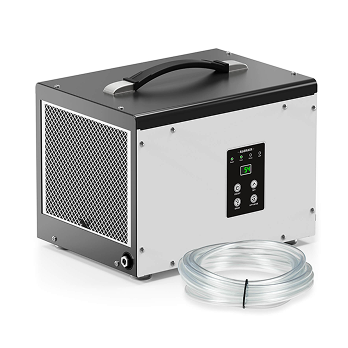
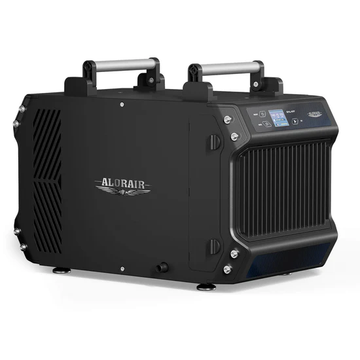
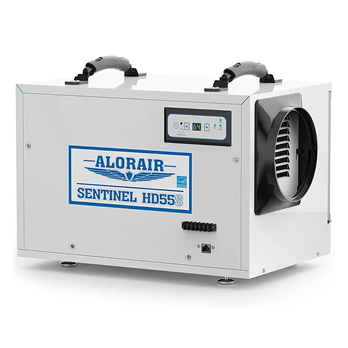
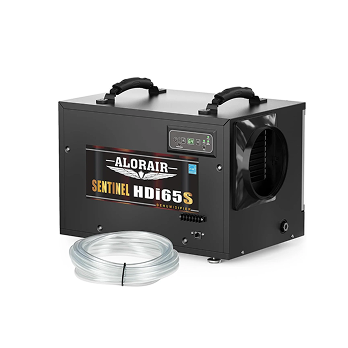
For a small server room or noncritical supporting space that needs remote equipment control, compare Wi-Fi-enabled dehumidifiers by capacity, drainage method, operating temperature, airflow, and control features. For a large or mission-critical data center, have the humidity-control system designed or approved by qualified mechanical and data center professionals.
Frequently Asked Questions
Does a data center need a dehumidifier?
Not always. Many data centers control moisture through their existing HVAC, CRAC, or CRAH systems. A supplemental dehumidifier may be needed when monitored RH or dew point remains above the equipment’s approved range or when a local moisture problem cannot be corrected through the existing system.
What is the recommended humidity for a data center?
The correct range depends on the installed equipment and its ASHRAE environmental class. Data center operators should consider relative humidity, temperature, and dew point rather than relying on one universal RH setting.
Can high humidity damage servers?
Persistent high moisture levels may contribute to condensation and corrosion, particularly when cold surfaces, airborne contaminants, or sudden temperature changes are present.
Can a data center become too dry?
Yes. Very dry conditions may increase electrostatic discharge risk, especially where ESD flooring, footwear, grounding, and handling controls are inadequate.
Where should a dehumidifier be placed in a server room?
Place it where airflow will reach the affected area without directing heated discharge air toward server inlets or disrupting hot-aisle and cold-aisle containment. Drainage, service access, sensor placement, and coordination with the cooling system must also be considered.
Is air conditioning enough to control data center humidity?
Sometimes, but not always. Cooling equipment may remove moisture as part of its operation, but humidity can remain elevated when outdoor-air loads, control settings, short cycling, maintenance problems, or local moisture sources exceed the system’s latent capacity.


